AI-driven Inspiration Tool

I led UX design for an AI-powered inspiration search and management experience inside Motiff, an interface design tool built to help designers move from AI-generated first drafts to collaborative editing in one place. The work focused on reducing inspiration bottlenecks, making search more useful than aesthetic-only references, and turning fragmented discovery into a faster, more context-rich design workflow.
My role
Product Designer
Duration
Sept 2024 - Feb 2025
Tools
Figma, Miro, MS Forms
Team
2 Designers, 1 PM, 1 Eng
|
Search, redefined for designers
Natural-language input meets structured filtering—allowing users to move from vague intent to precise results in seconds. Instead of browsing endlessly, designers can directly express what they need and refine it with control.
|
AI that adapts to your workflow
The assistant stays out of the way when you explore—and steps in when you need control. Designed to shift between subtle and active states, it enables fast iteration without breaking focus.
|
Refine without breaking flow
Refinement happens where decisions are made—inside the results. By turning every reference into an entry point for iteration, the experience becomes continuous instead of step-based.
|
From inspiration to understanding
Beyond collecting references, this feature reveals the reasoning behind them. AI analyzes visual and structural patterns, helping designers turn inspiration into actionable insight.
Most Memorable Moment:
Designing for Two Mindsets
The most memorable moment was realizing that one AI behavior could not serve every designer. Testing revealed two clear mindsets: active searchers who wanted constant AI support, and passive explorers who wanted to browse without interruption.
Instead of forcing one interaction model, I designed an adaptive chatbot with multiple states—subtle, minimized, and fully expanded—so the interface could support both behaviors. That decision became a turning point because it balanced the business goal of showcasing AI with the user need for a calm browsing experience.
|
Impact
What We Achieved
The Impact
Boosting design efficiency by 10x.
Motiff’s AI features, including the AI Magic Box and AI Design System Creator, were officially launched as the platform's flagship tools, bridging the gap between vague prompts and structured UI.
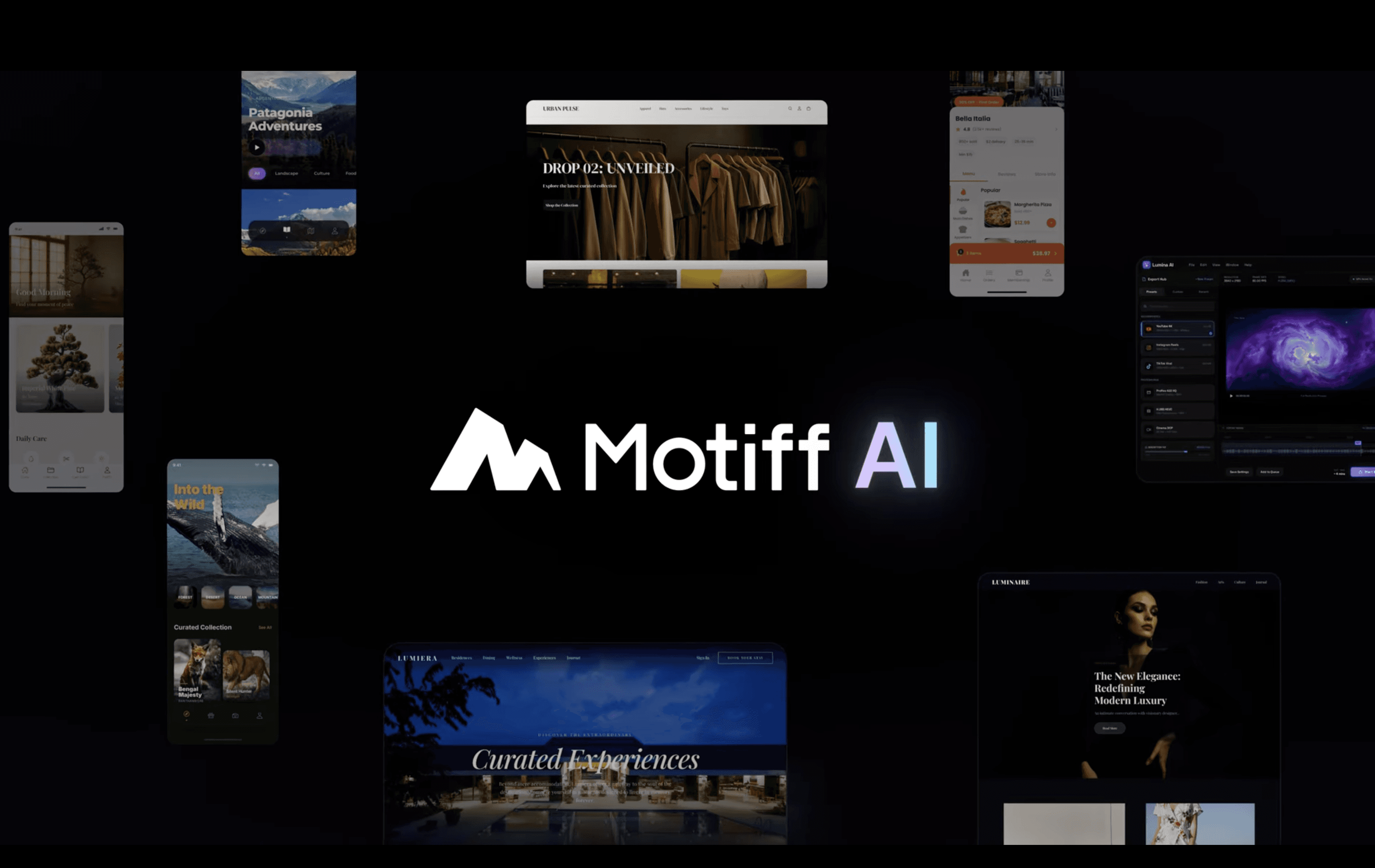
Designing an AI inspiration workflow that supports both exploration and precision
Strategic Thinking
User Advocacy
Stakeholder Alignment
Systems Thinking
|
Section 1
Reframing the problem behind inspiration search
User Research
Competitive Analysis
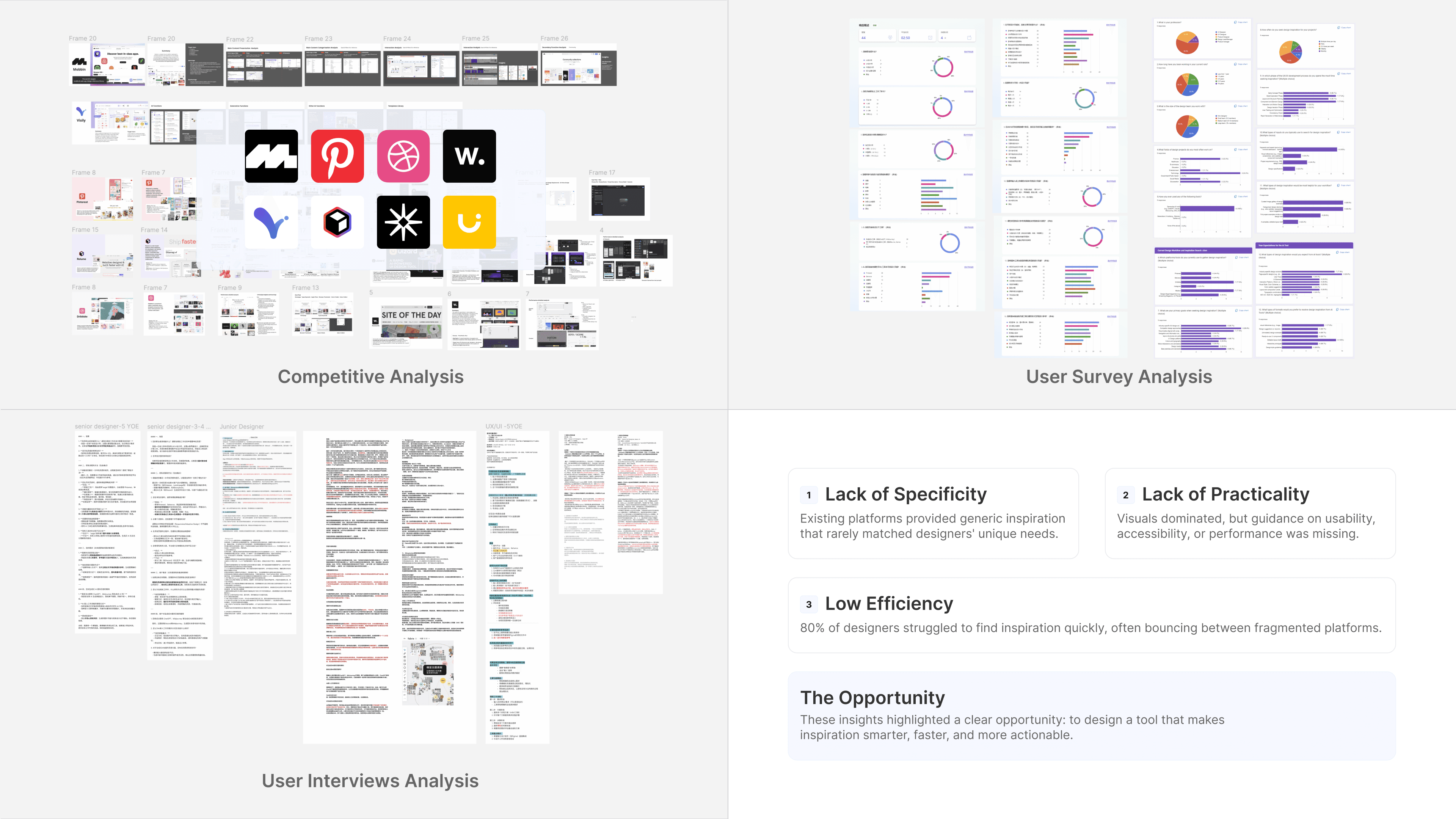
I started by looking past visual inspiration as a simple gallery problem and treated it as a workflow problem. Competitive review showed that most inspiration platforms were attractive but shallow: search was weak, results lacked practical context, and designers had to jump between multiple tools. To validate that pattern, I surveyed 53 designers and ran 7 interviews across experience levels. The research showed that designers were not just asking for prettier references—they wanted faster access to relevant examples, clearer structure, and more functional guidance. That insight helped redefine the opportunity: Motiff could win not by becoming another inspiration board, but by embedding smarter discovery directly into the design process.
|
Section 2
Making AI visible without making the product noisy
Dealing with ambiguity
usability testing
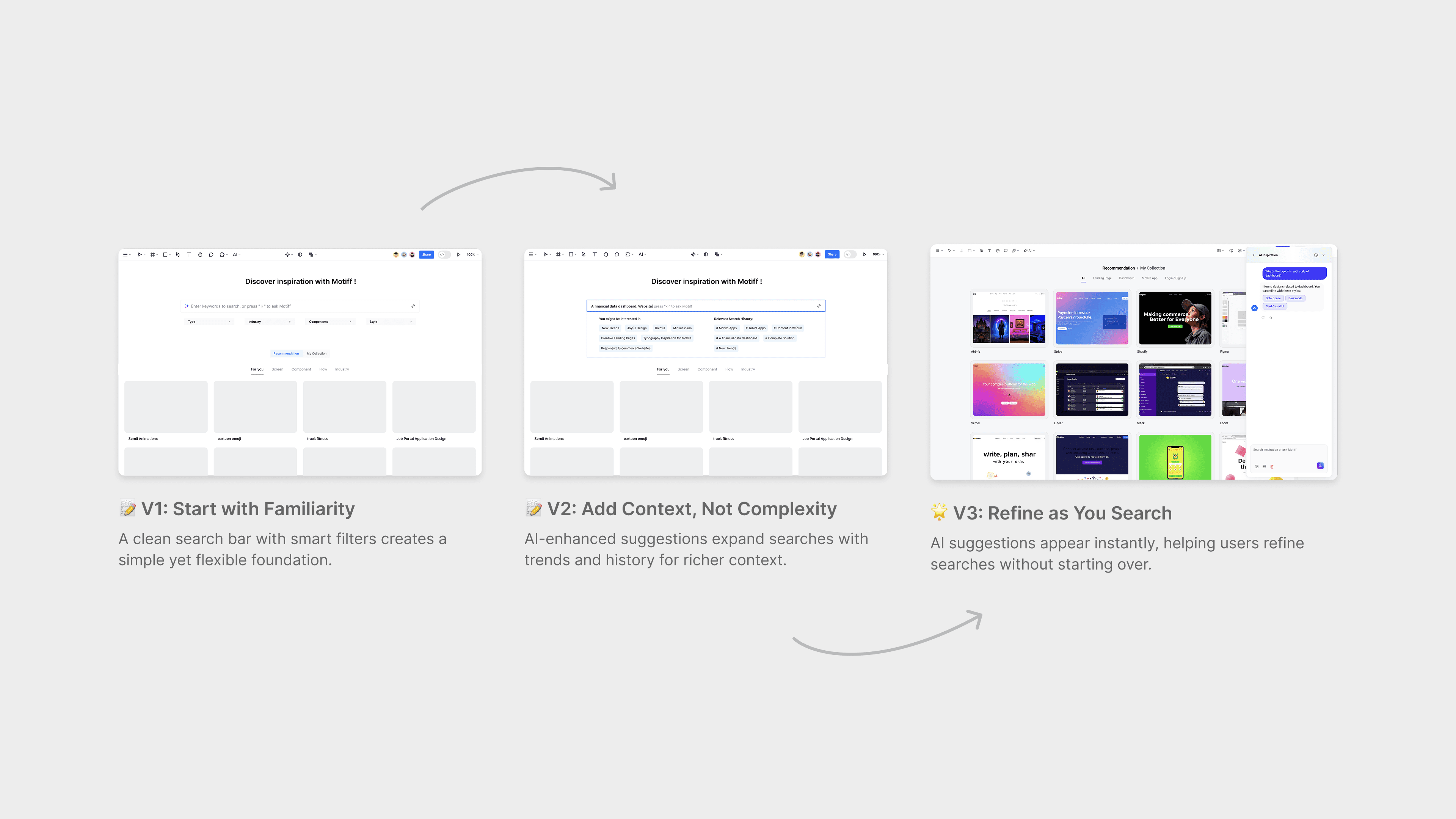
The first concept borrowed from familiar search patterns: a clean bar plus filters. It was usable, but it did not communicate Motiff’s core differentiator—AI-powered natural language search. After feedback from the client, I reworked the experience around a persistent AI panel so users could see the system think, revise prompts quickly, and trust the process more. Testing then revealed a second challenge: some users wanted constant AI help, while others found it distracting during open-ended browsing. I responded with an adaptive chatbot that could stay subtle, minimize itself, or expand when needed. This let the experience feel intelligent and visible without overpowering the rest of the interface.
|
Section 3
Turning search into a continuous creative loop
Feature iteration
Information architecture
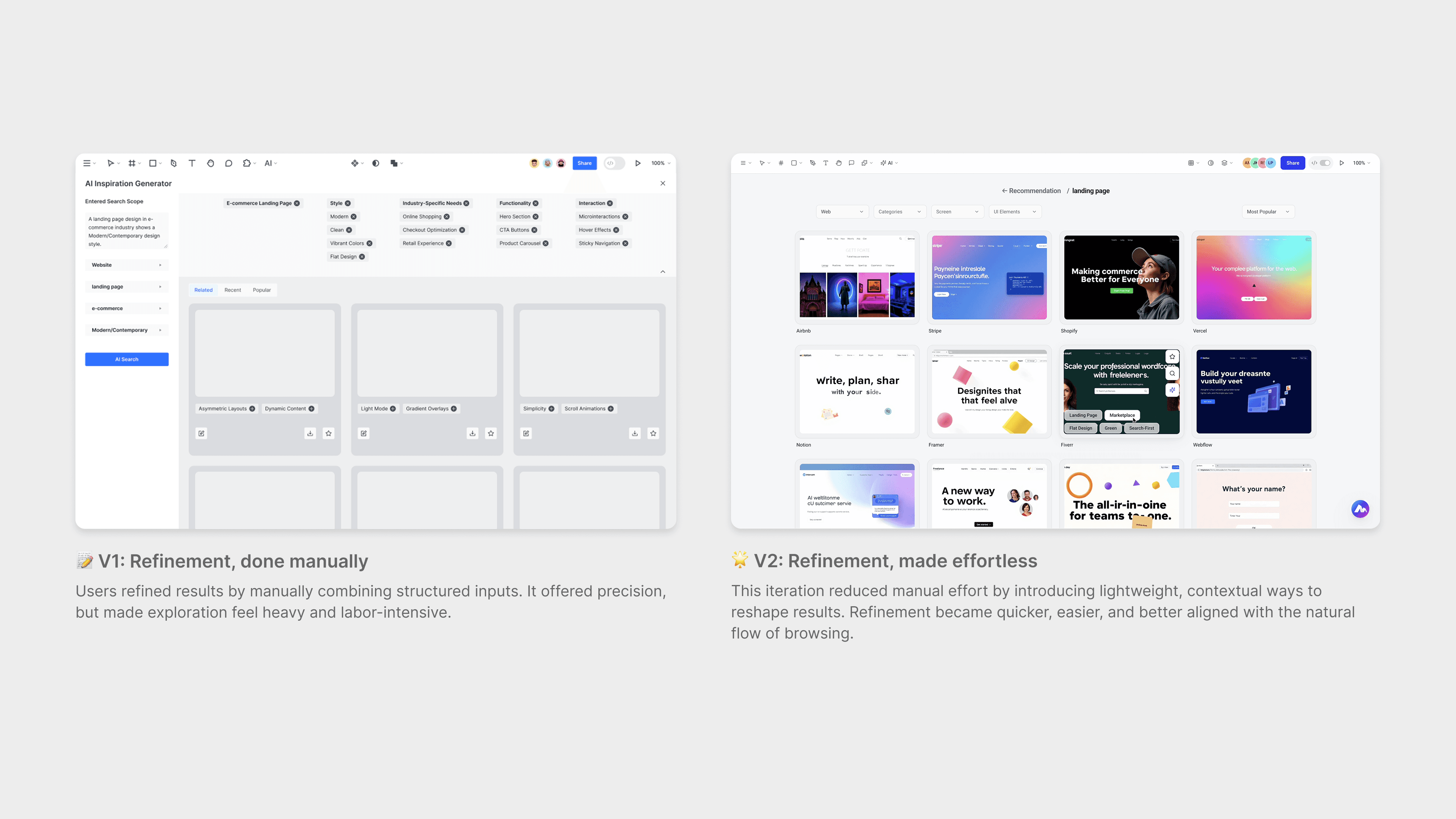
The biggest product shift came when I stopped treating input and output as separate moments. In early versions, users searched, received results, and then had to start over each time they wanted to adjust direction. I redesigned the flow so refinement could happen inside the results themselves. Interactive tags, hover actions, and quick AI adjustments made the system more conversational and less transactional. Later, this thinking evolved into Smart Search in the toolbar, where natural-language input, component filters, and quick actions worked together in one visible entry point. The result was a more fluid experience that supported how designers actually search: by iterating, comparing, and narrowing ideas while staying in the zone.
|
Projects
|