Scheduling Platform
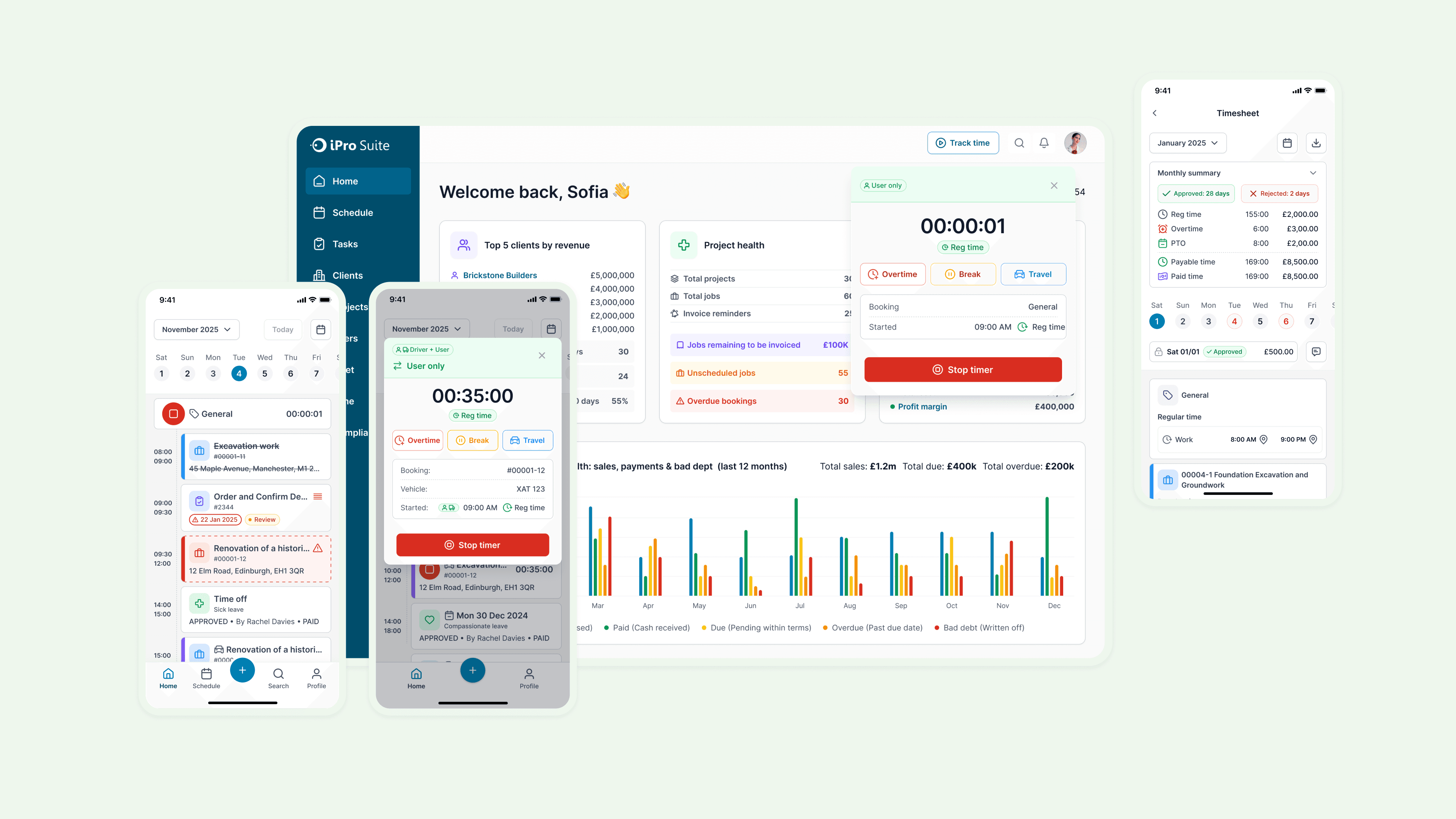
iPro Suite is a project and workforce management platform built for small contractors, and when I came on board, its scheduling feature had already failed twice, leaving project managers no way to efficiently track workloads across jobs. Working alongside the CEO, and engineering team, I led stakeholder interviews and competitive research to surface the core need: managers needed a single view to spot scheduling conflicts before they escalated. What had been written off twice landed as a foundation the team could actually build on, and the feedback from leadership was simple: "great, and incredibly detailed."
My role
Lead designer
Duration
Feb - June 2025
Tools
Figma, Confluence, Teams
Team
Design Manager, CEO, 4 Engs
|
Manage Schedules Through Dedicated Calendar Views
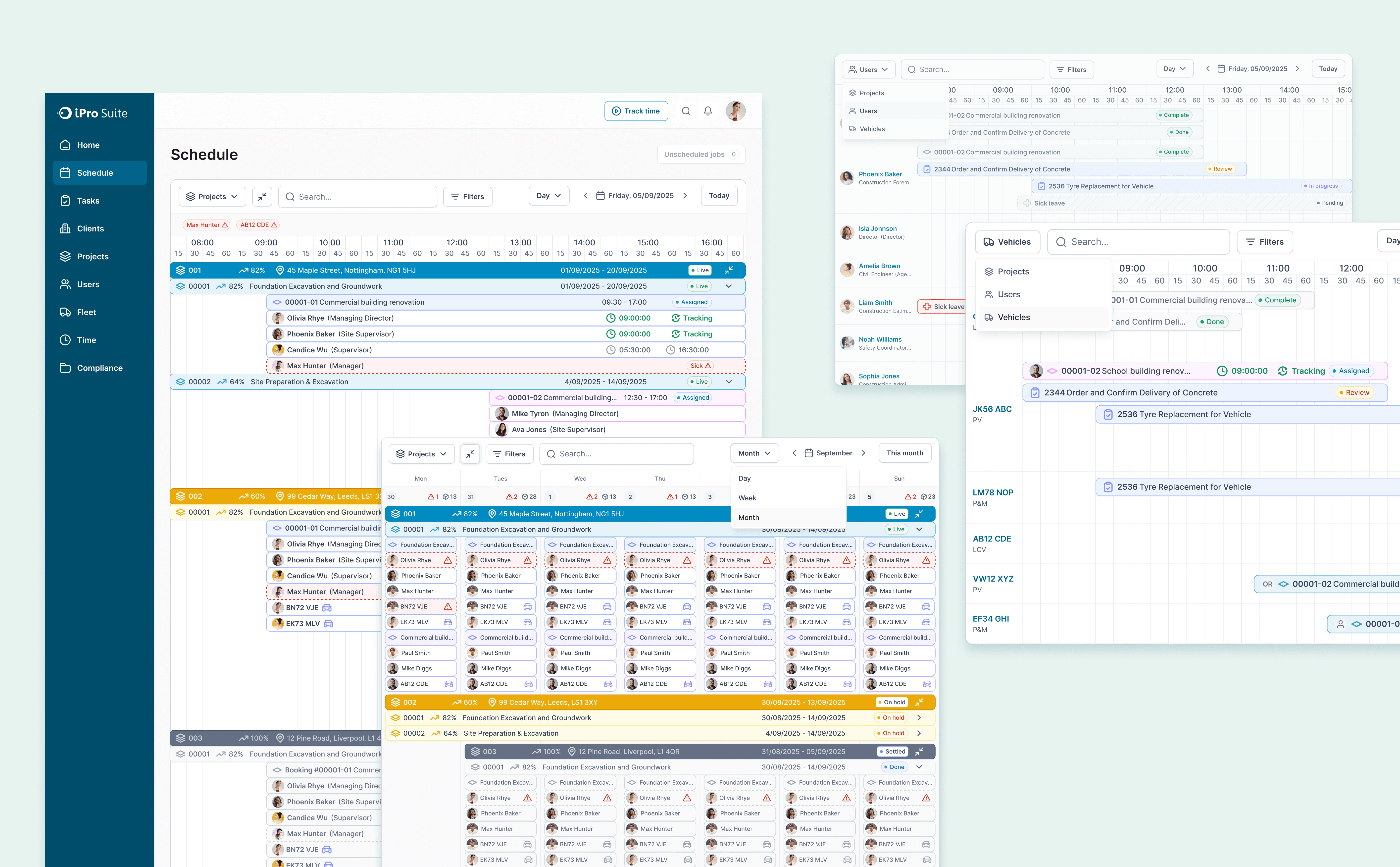
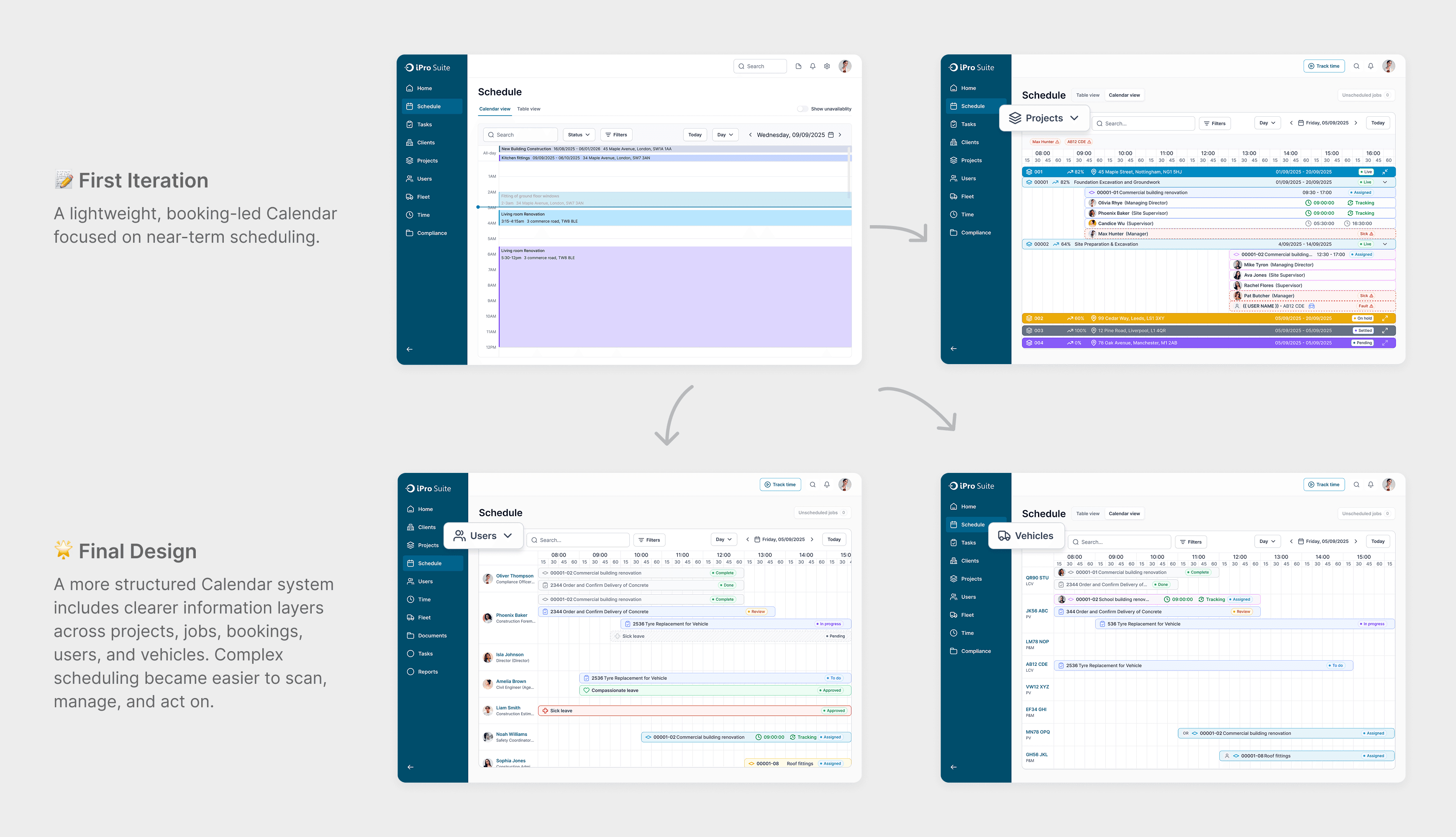
I structured Calendar View into three dedicated perspectives: Projects, Users, and Vehicles. This made the scheduling experience more practical for day-to-day operations, because admins could move from a project-level overview to a people view or vehicle view depending on the decision they needed to make. Day, week, and month scales balanced granularity with readability.
|
See Project Progress at a Glance
I designed an expandable table view that lets managers understand overall project health at a glance. Projects and jobs are organized in a clear hierarchy, with status, progress, dates, and risk signals surfaced up front, so teams can quickly scan what is live, delayed, overdue, or blocked without opening every record one by one.
|
Quick Actions to View and Manage Details
I designed click-through drawers and quick actions so users could inspect and manage project, job, and booking details without losing context. Instead of jumping across multiple pages, managers can open details inline, review timelines and statuses, change booking colour, and assign users or vehicles directly from the scheduling workflow.
|
Identify and Resolve Time and Resource Conflicts Quickly
By separating project, user, and vehicle perspectives, the system makes conflicts easier to catch and act on. Users can spot time off clashes, unavailable staff, maintenance conflicts, unassigned work, and overloaded resources directly inside the schedule, then resolve them through focused actions rather than piecing the situation together across different tools.
Most Memorable Moment:
Before I design, I decode intent.
What stayed with me wasn't the design itself, it was the moment I realized there was no document telling me what to build. Just a room full of people, and a feature that had already failed twice.
I joined the project two weeks in as the only designer. There was no PRD. The feature - a scheduling view for construction project managers - had been attempted before and abandoned. So instead of waiting for requirements that weren't coming, I changed how I used every meeting. Each conversation with the CEO, the boss, the design manager became a research session. I stopped hearing requests as directives and started hearing them as clues. When the boss pushed for a layered display I hadn't originally designed, I didn't just revise, I asked why. That one question unlocked the real mental model: managers needed to see relationships and conflicts along a timeline, all at once. The "what" only made sense after I understood the "why."
That project taught me that when there's no brief, the brief already exists, it's just living inside the people in the room. My job is to surface it before I start designing. Because the fastest way to build the wrong thing is to skip the question that changes everything.
|
Impact
What We Achieved
The Impact
From stuck to buildable.
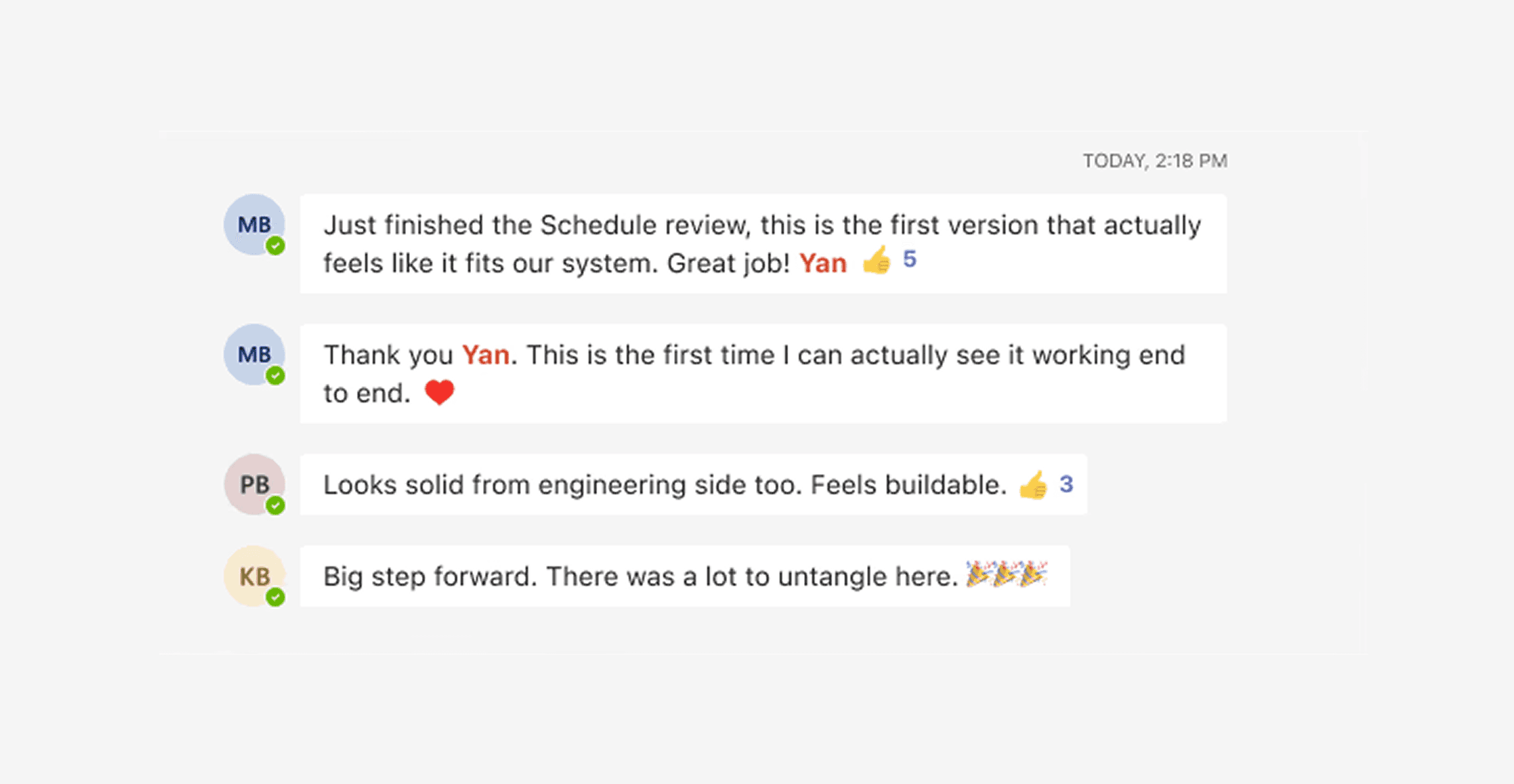
When I presented the Schedule design in sprint review, it marked a turning point for the team. Leadership described it as the first direction that truly worked for the system after two earlier attempts had failed. Philip, the Head of Engineering, also said it felt feasible to build. That feedback showed the design had turned a previously unresolved feature into a solution the team could finally move forward with.
Building Decision Visibility from Ambiguity in Contractor Workforce Management Platforms
Navigating ambiguity
Stakeholder communication
Adaptability to feedback
Ownership and continuous improvement
|
Section 1
Ask deeper. Move faster.
Dealing with ambiguity
Problem framing in business terms
Stakeholder interview
UX audit & heuristic evaluation
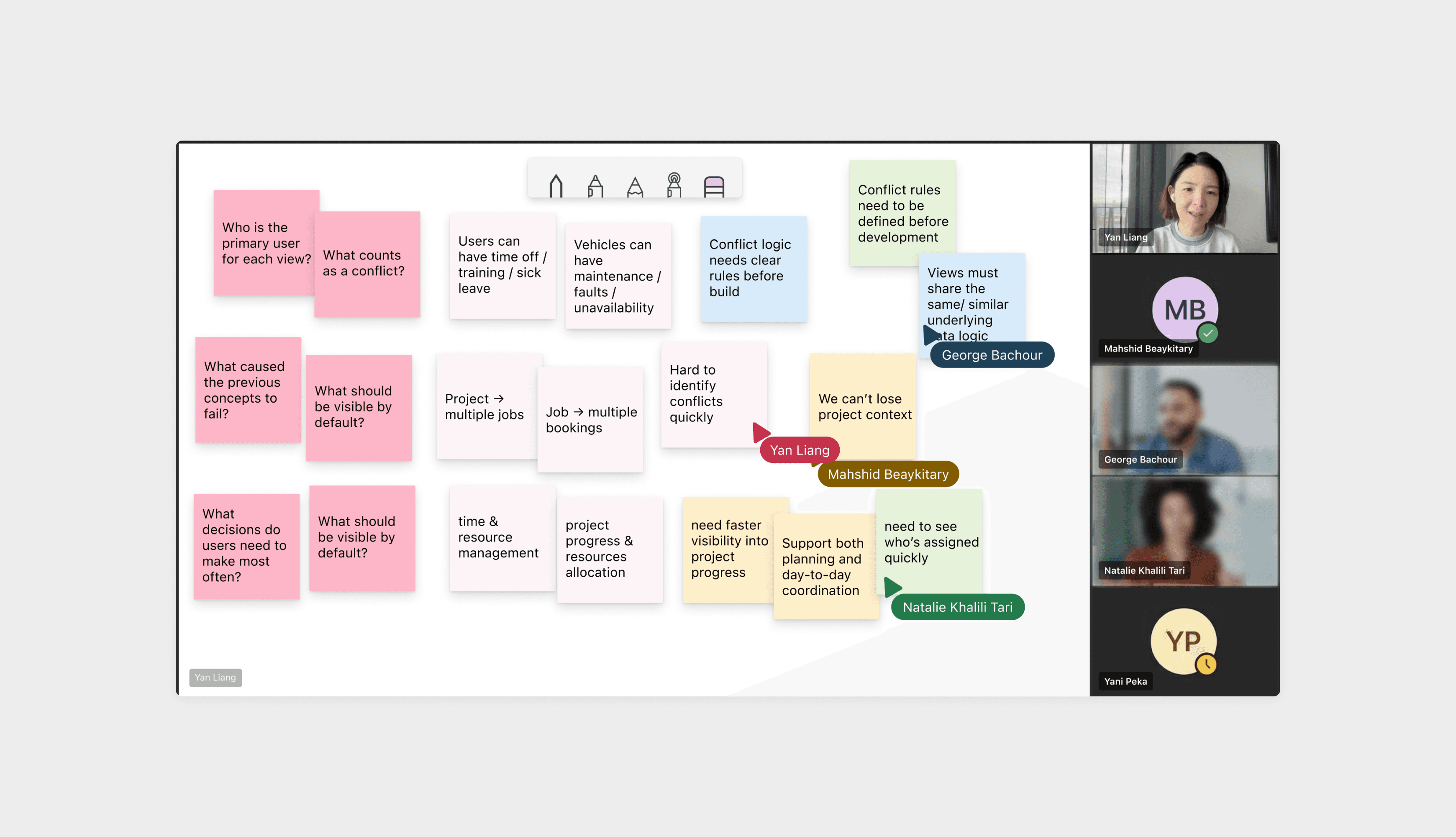
When this project started, there was no PRD, just a feature that had failed twice and a room full of stakeholders who each held a piece of the answer. Instead of waiting for requirements to arrive, I treated every meeting as a research session: I listened for intent behind requests, documented decisions in real time, and asked follow-up questions until the reasoning became clear. Gradually, the conversations stopped feeling like briefings and started feeling like design inputs, the kind that actually shaped direction. I realized that when structure is missing, the fastest way forward isn't to pause and wait. It's to ask better questions and turn the room into your source of truth.
|
Section 2
Challenged. Recalibrated. Delivered.
Dealing with ambiguity
Data-driven design decisions
Concept ideation
Iteration
My first Calendar concept focused on bookings and near-term execution, which felt like the clearest way to keep the experience lightweight. In review, however, leadership pushed for broader visibility across projects, users, and vehicles. Instead of defending the first idea, I reframed the problem: not how to keep Calendar simple, but how to make complex scheduling information manageable. I quickly visualized multiple view models, which helped the team align on the final structure — three dedicated views for Projects, Users, and Vehicles.
|
Section 3
Maintainability Should Be a Design Decision, Not an Afterthought.
Design Handoff & Documentation
Feasibility Accessment
Post launch Analysis
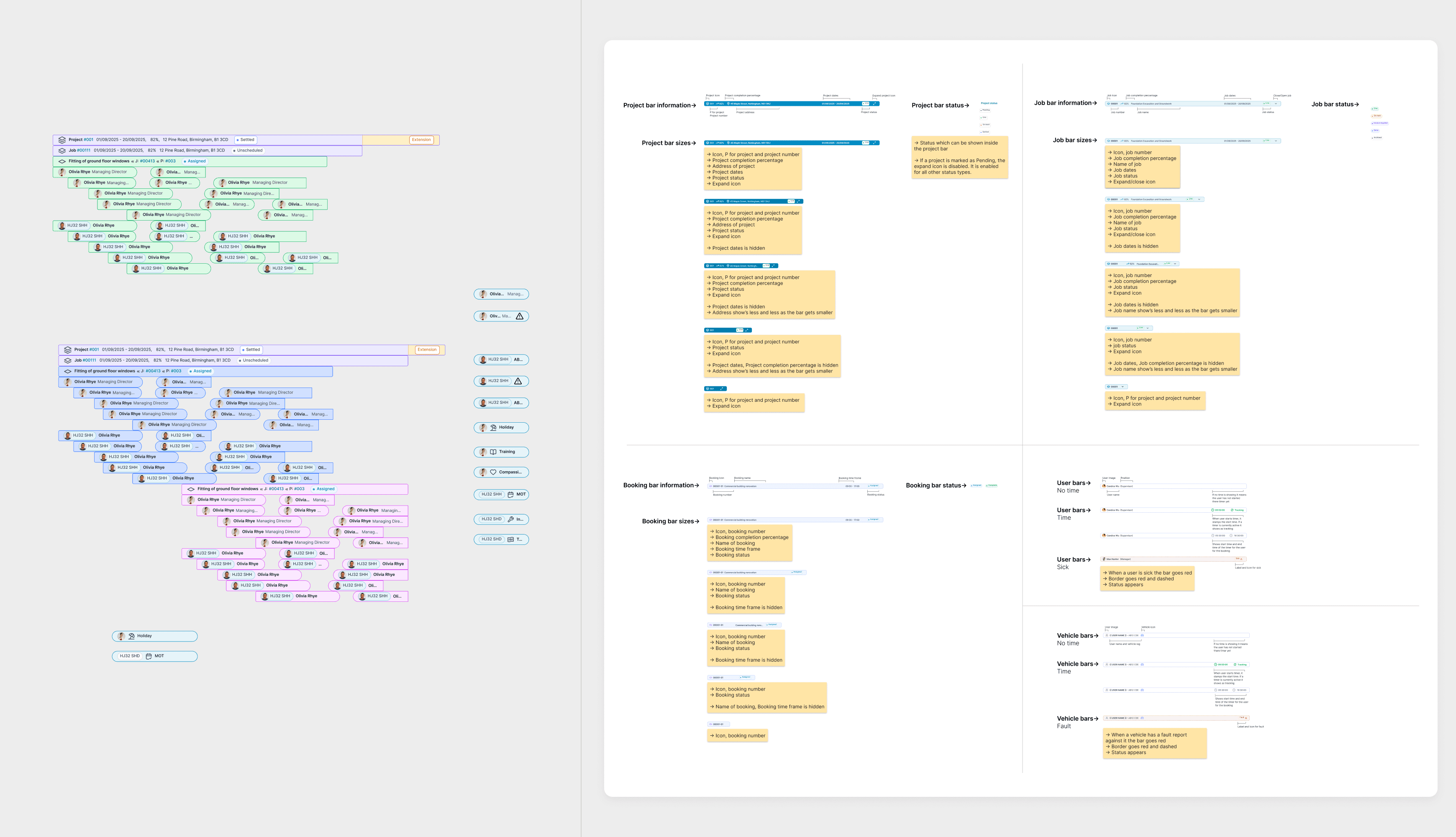
During early exploration, I detached many components so I could move faster and iterate more freely. That choice became costly later: once the design stabilized, repeated updates had to be fixed screen by screen, which slowed down handoff significantly. I addressed the issue by cleaning up the files, aligning with my manager, and making sure engineering had clear annotations and support. More importantly, I changed my approach: build with the design system, use variants, and treat maintainability as part of design quality from the start.
|
Projects
|