Logistics Order Management
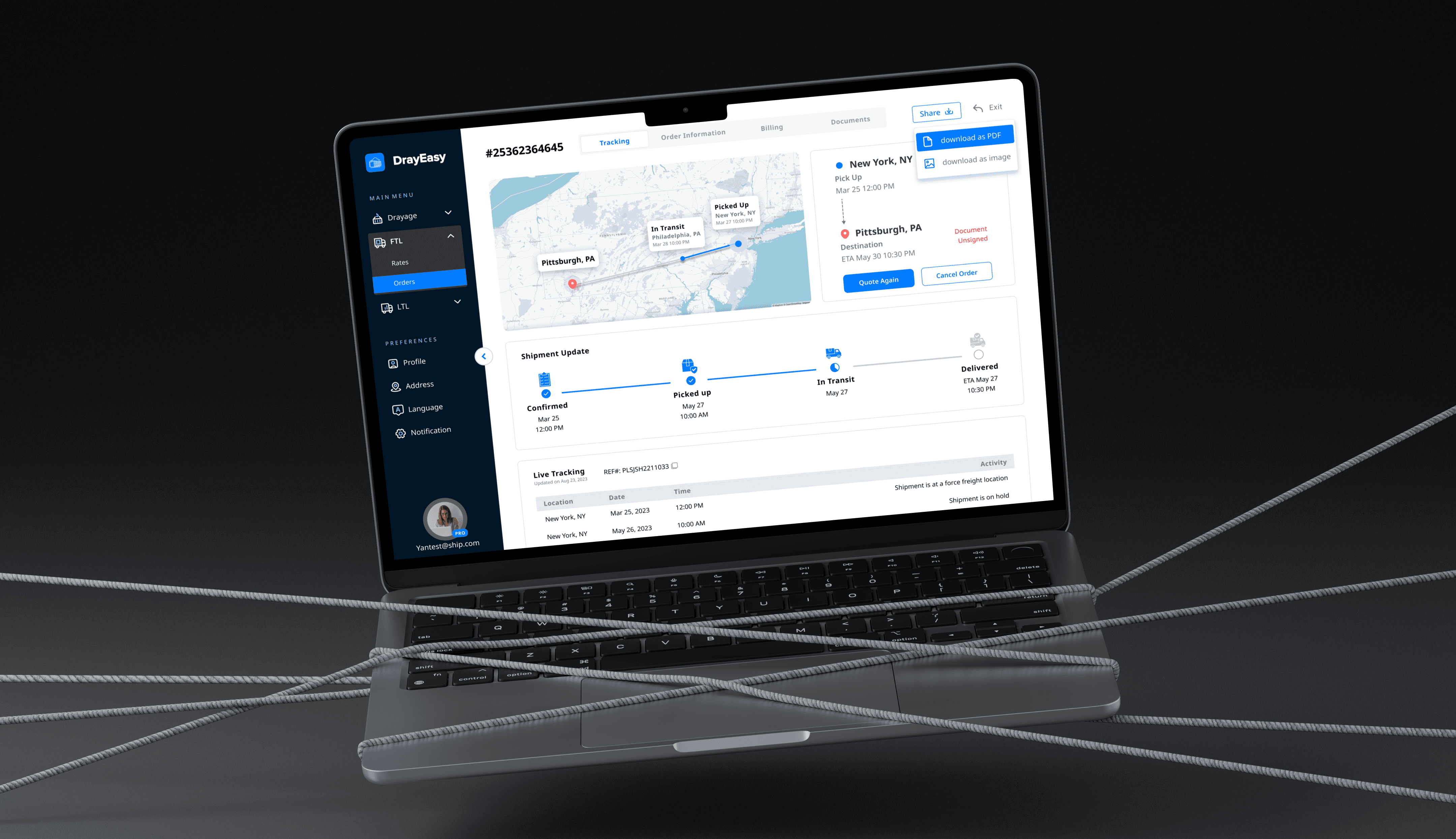
A streamlined freight management platform that transforms fragmented, manual workflows into a scalable system for managing both FTL and LTL shipments. It helps users place, track, and manage shipments with greater speed, visibility, and confidence.
My role
Product Designer
Duration
Feb - Aug 2024
Tools
Figma / Miro / MS forms
Team
2 Designers, CEO, 1 PM, 1 Eng
|
Command Center
A centralized workspace for active, past, and draft shipments. The goal was not just to “show everything,” but to help users quickly understand what needs attention and what action to take next.
|
Shipment Tracking
A tracking experience that brings together shipment status, route visibility, milestones, and key references in one place. This reduced the need to piece together information across disconnected views.
|
Quote Again
A lightweight repeat-quote flow built for speed. Users can start from a previous shipment, make changes where needed, and generate a new quote without repeating the full process.
|
Order Cancellation
A cancellation flow designed around context. Users can cancel quickly from the list view when speed matters, or from the detail page when they need more confidence before taking action.
Most Memorable Moment:
Designing One System for Two Very Different Logistics Models
One of the most memorable moments in this project came when I realized that FTL and LTL were not just two service types — they represented two fundamentally different information problems.
FTL centered on scheduling and managing a single truck, while LTL required users to follow multiple carriers and more fragmented shipment details. That insight changed the design direction: instead of forcing both into the same structure, I created two distinct information hierarchies that still felt like one unified system. That decision became the backbone of the product, because it balanced operational accuracy with interface simplicity and made the experience feel trustworthy for both shipment types.
|
Impact
What We Achieved
The Impact
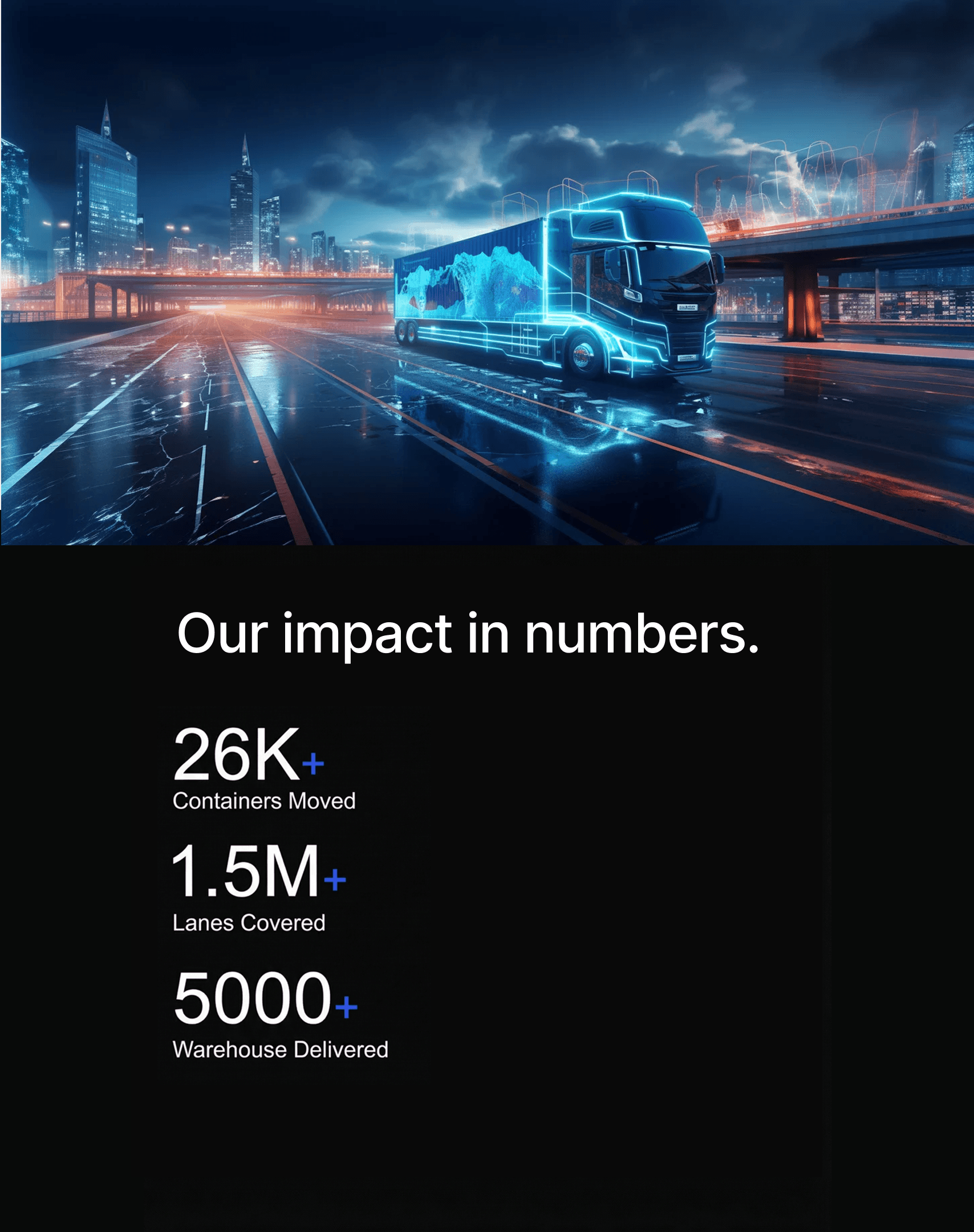
DrayEasy transformed fragmented, manual freight workflows into a centralized, scalable shipment management experience.

Turning Freight Complexity into a Clear, Scalable Experience
Strategic thinking
Stakeholder alignment
Problem framing
|
Section 1
Learn the Business Before Designing the Interface
Business Analysis
Stakeholder Interview
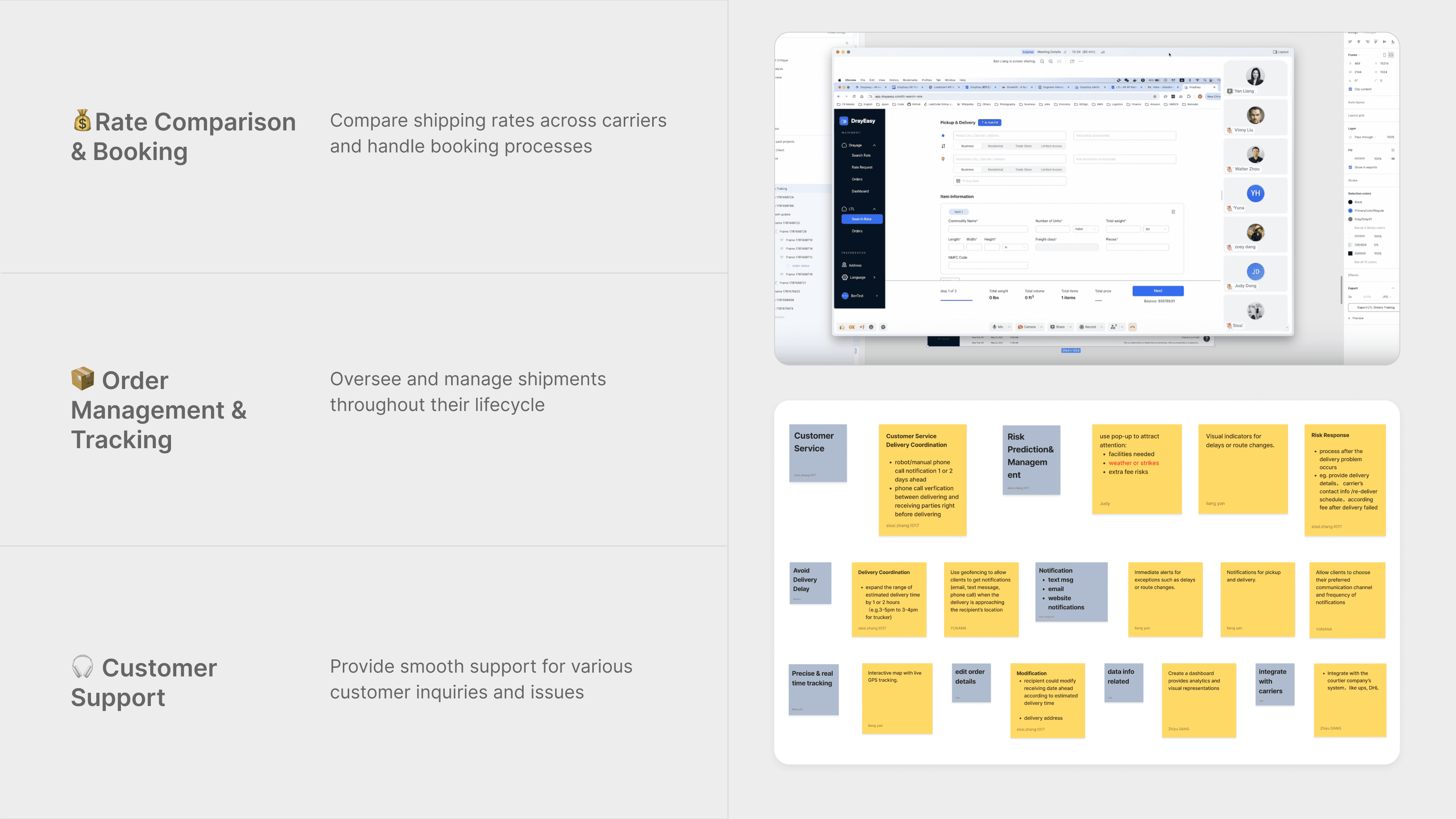
When I first joined the project, shipment tracking and order management felt overwhelmingly complex. Instead of jumping into screens, I broke the business into three areas: rate comparison, order management, and customer support. That helped me see the real issue: the business had scaled, but operations had not.
Conversations with account managers confirmed it. They were spending hours on manual updates, workarounds, and status checks across multiple tabs. What looked like a usability problem was really a service and scale problem. That insight gave the team a clearer direction and helped me focus the design effort where it could create the most impact.
|
Section 2
Build a Smarter Information Hierarchy
Dealing with ambiguity
Interaction Design
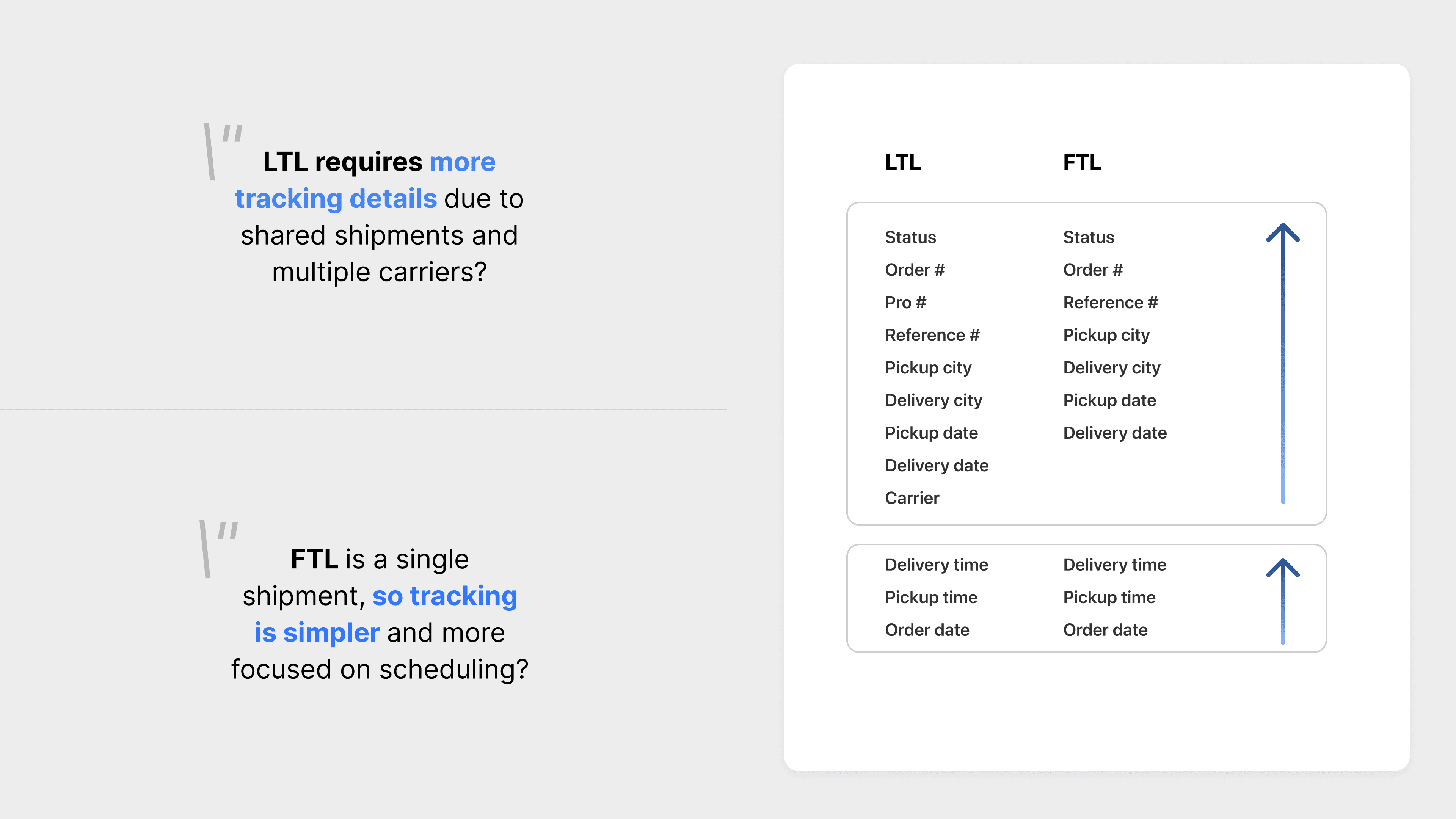
Once order management became the focus, the next challenge was complexity inside the workflow itself. FTL and LTL shipments shared a platform, but they did not share the same logic. FTL centered on scheduling a single truck, while LTL required tracking multiple carriers and more layered status information.
I worked closely with the PM and account managers to define what information needed to stay visible, what could collapse, and how both models could feel coherent inside one experience. That work shaped the Command Center into a system that felt simpler for users without flattening the real operational differences underneath.
|
Section 3
Design for Trust, Not Just Visibility
Product Thinking
Design Systems
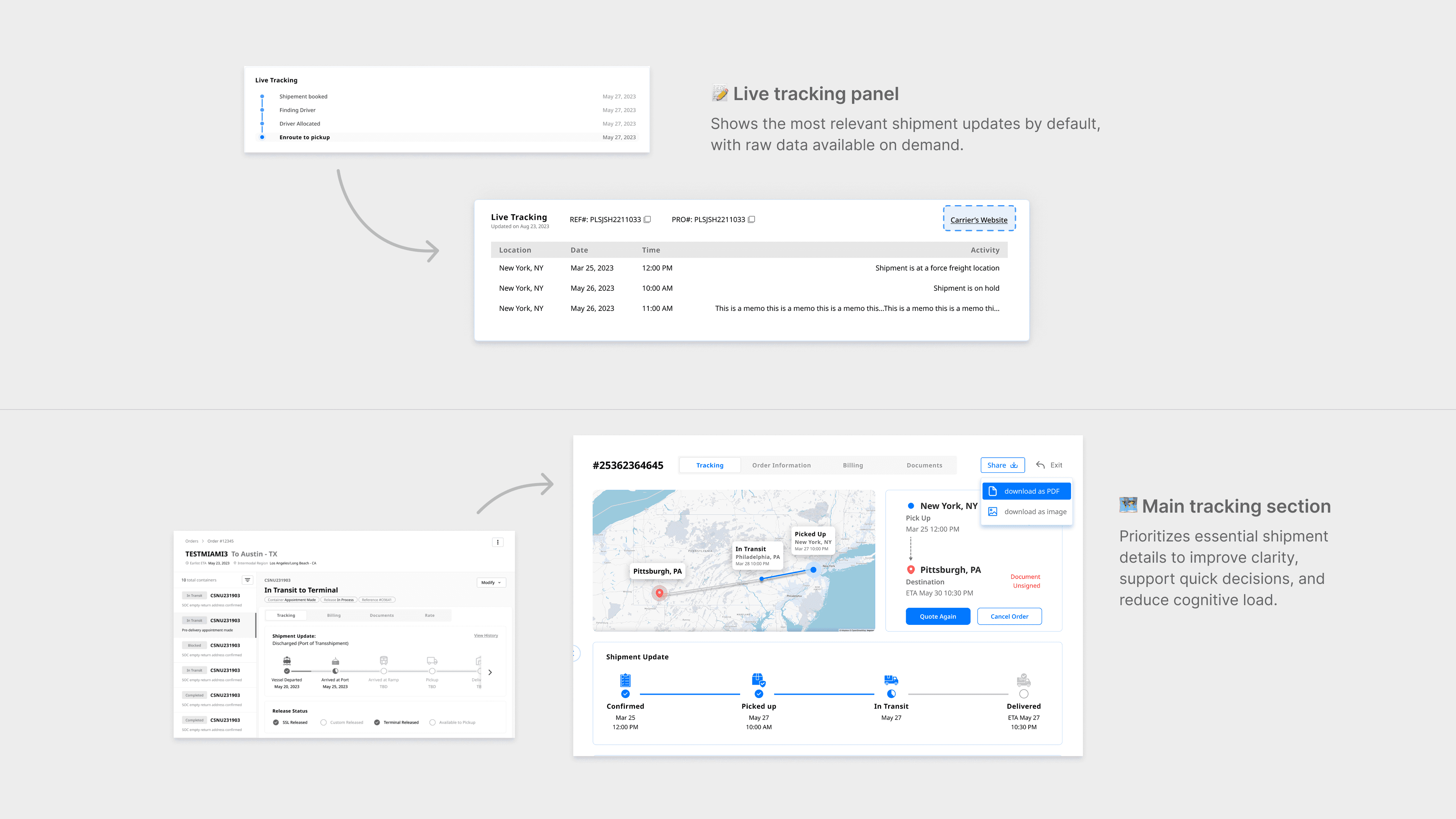
One of the biggest trust issues in the product was tracking data. The team wanted to show both supplier raw data and a standardized internal version, but presenting everything at once would overwhelm most users. My research showed two clear needs: everyday users wanted quick clarity, while expert users wanted depth. I solved this by making the standardized view the default and keeping raw data one click away.
I carried the same principle across the product, from the map redesign to quick actions like Quote Again and Cancel Order, while expanding the design system to keep new workflows consistent. The result was a product that felt both simpler and more capable.
|
Projects
|